Tome App AI Review: Complete Guide and Honest Review for 2026
Building a pitch deck used to eat an entire weekend. You would open a blank slide, stare at it, then spend hours moving text boxes around. Tome App AI promises to cut that process down to minutes.
But does it actually work as well as the marketing suggests? This guide breaks down what Tome App AI does, how it works, its real strengths and weaknesses, and whether it deserves a spot in your toolkit for 2026.
By the end of this article, you will know exactly what Tome App AI offers, how its pricing compares, and what alternatives exist if it does not fit your workflow.
What Is Tome App AI and How It Works
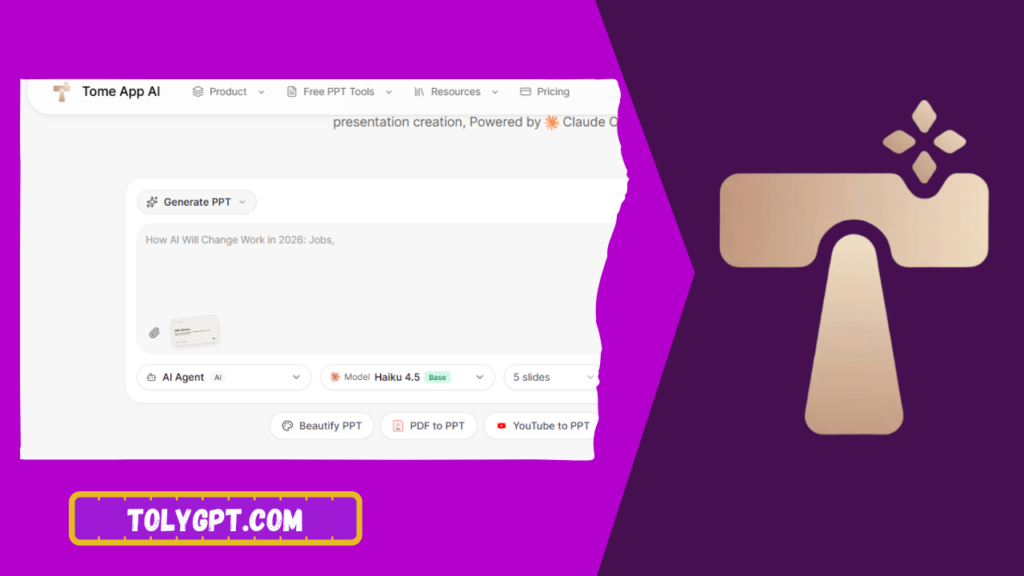
Tome App AI is a generative AI platform built for creating presentations, pitch decks, and visual narratives. Instead of designing slide by slide, users type a short prompt describing their topic, audience, and goal. The AI then generates a full draft, complete with structured text, layout suggestions, and AI-generated or stock imagery.
The core idea behind Tome is storytelling first, design second. Rather than treating a presentation as a series of static slides, Tome builds a narrative arc. Each section connects logically to the next, which helps presenters keep an audience engaged instead of reading bullet points off a screen.
Under the hood, Tome combines large language model text generation with image generation models to assemble a first draft automatically. Users can then edit any section, regenerate specific slides, adjust tone, or swap in their own media.
How the Generation Process Works Step by Step
- Enter a prompt describing your presentation topic and purpose.
- Choose a format such as pitch deck, sales narrative, or product update.
- Review the AI-generated outline before full content is created.
- Let Tome build text, layout, and imagery for each section.
- Edit content, regenerate weak slides, and add your own branding.
- Publish as an interactive web page or export for sharing.
This workflow removes the blank page problem entirely. Most users report having a usable first draft within two to five minutes.
Read also: Candy AI Review
Why Tome App AI Matters in 2026
AI-generated content tools have moved from novelty to daily use. Sales teams, founders, marketers, and educators now expect software to handle repetitive design work so they can focus on strategy and messaging.
Tome App AI matters because it addresses three specific pain points that traditional tools like PowerPoint or Google Slides never solved well.
First, it removes design skill as a requirement. A founder with no design background can produce a professional-looking pitch deck without hiring a designer.
Second, it treats presentations as living documents. Because decks can be published as interactive web pages, viewers can explore embedded video, links, and data instead of a static PDF.
Third, it speeds up iteration. Teams under deadline pressure can generate multiple versions of a deck, compare them, and pick the strongest narrative in under an hour.
Key Features and Benefits of Tome App AI
Tome App AI has expanded well beyond simple slide generation. Here are the features that matter most for real work.
AI-Generated Narratives
Tome does not just fill placeholder text. It structures content around a beginning, middle, and end, which mirrors how strong presenters actually pitch ideas.
Built-In Image Generation
Users can generate custom visuals directly inside the editor instead of searching stock photo libraries. This keeps the creative process inside one tool.
Interactive Web Format
Presentations can be published as living links rather than static files. Viewers scroll through content in a browser, which works well for async sharing with investors or clients.
Real-Time Collaboration
Teams can edit the same deck simultaneously, leave comments, and assign sections, similar to working inside a shared document.
Data and Analytics on Shared Decks
When a deck is shared as a link, creators can see who opened it and how long they spent on each section. This is genuinely useful for sales teams tracking investor or prospect engagement.
Brand Kit Support
Paid plans allow teams to lock in brand colors, fonts, and logos so every generated deck stays on brand automatically.
|
Feature |
Free Plan |
Pro Plan |
Business Plan |
|
AI generated decks |
Limited |
Unlimited |
Unlimited |
|
Custom branding |
No |
Yes |
Yes |
|
Analytics on shared links |
Basic |
Advanced |
Advanced |
|
Team collaboration |
Limited |
Yes |
Yes, with admin controls |
|
Priority support |
No |
No |
Yes |
Pricing details change frequently. Always confirm current tiers on the official Tome pricing page before committing.
Step-by-Step Process Guide to Building Your First Deck
Getting started with Tome App AI takes less time than setting up a traditional template.
- Create an account and select the type of presentation you need.
- Write a clear prompt including audience, goal, and key points to cover.
- Review the AI suggested outline and reorder sections if needed.
- Generate the full draft and read through every slide carefully.
- Replace generic AI text with specifics like real numbers and client names.
- Swap any AI generated images that feel generic for your own visuals.
- Apply your brand kit for consistent colors and fonts.
- Preview the deck on both desktop and mobile before sharing.
- Publish as a link or export depending on your audience’s needs.
- Check analytics after sharing to see engagement per section.
Following these steps prevents the most common mistake people make with AI tools, which is publishing the first draft without review.
Common Mistakes to Avoid With Tome App AI
Many first-time users get underwhelming results because they skip a few important steps.
Writing vague prompts.
A prompt like “make me a marketing deck” produces generic output. Specific prompts with audience, tone, and goal produce far better drafts.
Publishing the AI draft unedited.
AI generated text often sounds broad and needs real data, client names, or specific numbers added before it feels credible.
Ignoring narrative flow.
Some users treat Tome like a slide generator and lose the storytelling advantage that makes it different from standard tools.
Overusing AI generated images.
Stock-style AI visuals can feel repetitive across a deck. Mixing in real photos or original graphics improves trust with viewers.
Skipping mobile preview.
Since decks are often shared as web links, checking how content renders on a phone screen matters more than people expect.
Expert Tips and Best Practices
Experienced Tome users recommend a few habits that consistently improve output quality.
Write your prompt the way you would brief a copywriter. Include the audience, the desired outcome, and any must-include facts. Vague prompts produce vague decks.
Use the outline review step. Editing the outline before full generation saves far more time than fixing individual slides afterward.
Keep each slide to one core idea. Even though Tome can generate dense slides, presentations perform better when each section makes a single clear point.
Reuse your brand kit across every project. This keeps output professional even when multiple team members are generating decks independently.
Check analytics after every important share. If viewers consistently drop off at a specific slide, that section likely needs a rewrite.
Tools and Resources You Need
To get the most out of Tome App AI, pair it with a few supporting resources.
A clear content brief or outline before you start prompting saves significant editing time later.
Your company brand guidelines, including logo files, color codes, and font names, help you set up the brand kit correctly on the first try.
A basic understanding of storytelling structure, such as problem, solution, and outcome, helps you guide the AI toward stronger narratives instead of generic ones.
Access to real data, testimonials, or case studies to replace placeholder content the AI generates by default.
Pros and Cons
Pros
- Fast first draft generation saves hours compared to manual slide building.
- Strong storytelling structure keeps presentations engaging.
- Interactive web format works well for remote and async sharing.
- Built-in analytics show real viewer engagement.
- No design skill required to produce a polished result.
Cons
- AI generated text often needs manual editing for accuracy and specificity.
- Image generation can feel repetitive without customization.
- Advanced features are locked behind paid plans.
- Less granular design control compared to tools like PowerPoint.
- Best results depend heavily on how well the user writes prompts.
Frequently Asked Questions
Is Tome App AI free to use?
Tome offers a free plan with limited generations. Paid Pro and Business plans unlock unlimited decks, branding, and advanced analytics.
Is Tome AI good for business presentations?
Yes. It works well for pitch decks, sales narratives, and internal updates, especially when speed and storytelling structure matter more than pixel-perfect design control.
What is the difference between Tome AI and PowerPoint?
PowerPoint gives full manual design control but requires more time. Tome AI generates a full draft automatically and focuses on narrative flow rather than manual slide design.
Does Tome App AI have a mobile app?
Presentations built in Tome can be viewed and shared as web links that work on mobile browsers. Always check the official site for the latest app availability.
Is there a better alternative to Tome AI?
Alternatives like Gamma, Beautiful.ai, and Canva offer similar AI assisted generation with different strengths in design control and templates. The right choice depends on whether you prioritize storytelling, design flexibility, or speed.
Conclusion
Tome App AI solves a real problem. It turns the slow, frustrating process of building a presentation into a fast, guided workflow that still produces something worth sharing. It is not a replacement for careful editing, and the free plan has real limits, but for founders, marketers, and sales teams who need a strong deck quickly, it earns its place in a 2025 toolkit.
If speed and storytelling matter more than granular design control, Tome App AI is worth testing. Start with the free plan, write a detailed prompt, and judge the output for yourself before committing to a paid tier.