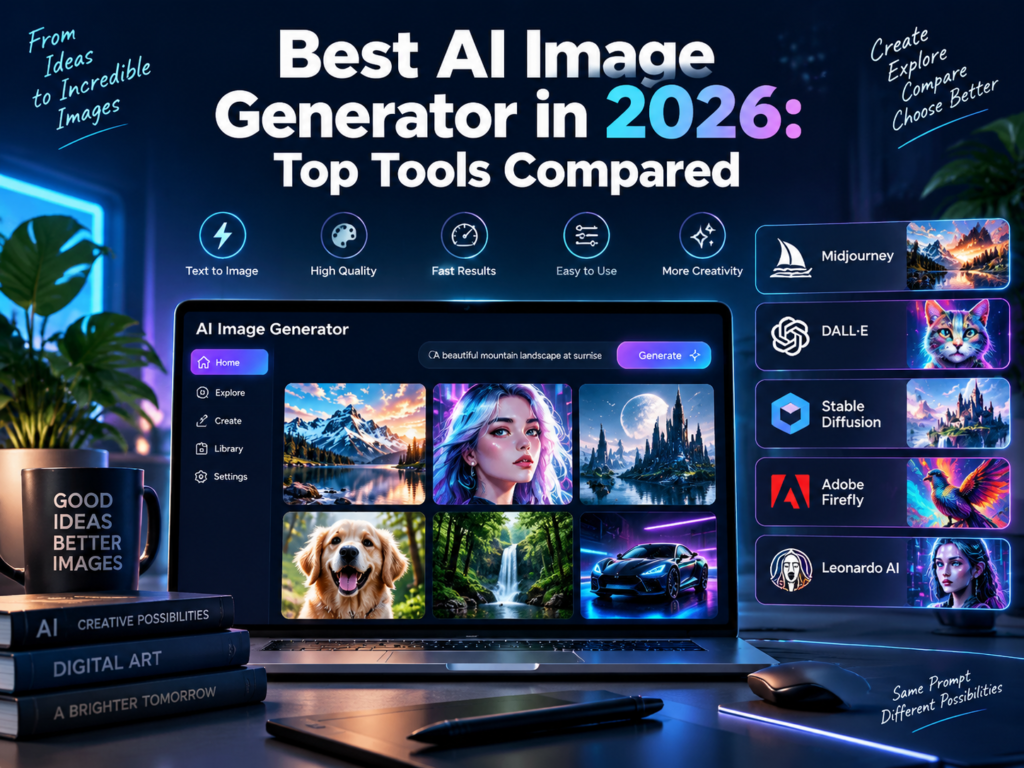
Best AI Image Generators in 2026: Top Tools Compared
Typing a sentence and getting a finished image back still feels like magic, even in 2026. What has changed is how good that image looks. Modern AI image generators produce results clean enough for ads, book covers, and product mockups, not just fun experiments.
The hard part is picking one. Every tool claims to be the best, and most comparison pages just repeat a feature list without telling you which tool fits your actual project. This guide fixes that. We researched the top AI image generators of 2026, covering free tools, paid tools, and the specific strengths that make each one worth using.
What Makes an AI Image Generator Good
Not every tool is built for the same job. Before picking one, check it against these basics.
- Image quality. Look at fine detail, lighting, and how well the tool handles hands and faces.
- Prompt accuracy. A good tool follows your instructions closely instead of guessing.
- Style range. Some tools excel at realism, others at illustration, anime, or vector art.
- Commercial rights. Confirm you can legally use the output for client work or products.
- Editing tools. Inpainting, upscaling, and style transfer save you from starting over.
- Speed and cost. Compare price per image, not just the monthly subscription number.
Read also Best Screen Recorders in 2026
The 10 Best AI Image Generators in 2026
1. Midjourney
Best for: Artistic, painterly, and stylized images Website: midjourney.com
Midjourney remains the favorite among artists and designers who want mood and atmosphere over strict realism. It renders lighting, texture, and composition in a way that often looks hand painted rather than computer generated.
The tool works through Discord or its own web app, and prompt writing has a real learning curve. Once you get comfortable with it, Midjourney produces some of the most visually striking results of any generator on this list.
Key features: strong painterly style, fine detail rendering, style reference images, upscaling tools Pricing: Plans range from about 10 to 120 dollars per month depending on usage and resolution. Good to know: Best suited for creative and marketing images rather than exact product photography.
2. Adobe Firefly
Best for: Commercially safe images for business use Website: firefly.adobe.com
Adobe Firefly is trained only on licensed and public domain content, which makes it a safer choice for businesses worried about copyright claims. It integrates directly into Photoshop, so you can generate, extend, or edit images without leaving your usual workflow.
Quality has improved sharply since launch, and Firefly now handles realistic scenes and product shots well, alongside its original strength in text effects and generative fill.
Key features: Photoshop integration, generative fill and expand, licensed training data, text effects Pricing: Around 5 dollars per month as a standalone plan, or included in Creative Cloud plans from about 23 dollars per month. Good to know: The commercial safety angle matters most for agencies and larger brands with legal review processes.
3. Google Imagen
Best for: Fast, photorealistic images Website: gemini.google.com
Imagen, accessed through Google Gemini, produces sharp, realistic images at high resolution in seconds. It handles lighting, skin tones, and natural textures convincingly, which makes it a strong pick for product mockups and lifestyle imagery.
Text rendering inside images has also improved, so signs, labels, and short captions now come out readable instead of garbled.
Key features: photorealistic output, fast generation, 2K resolution, improved text rendering Pricing: Around 20 dollars per month through a Gemini subscription. Good to know: Works best for realistic scenes rather than heavily stylized art.
4. ChatGPT with GPT Image
Best for: Conversational editing and precise prompt following Website: chatgpt.com
ChatGPT’s image tool stands out because you can talk your way to the final result. Ask for a change, and it edits the existing image instead of starting from scratch, which saves real time during revisions.
Prompt accuracy is a genuine strength here. Detailed instructions about object placement, count, and color tend to come out correct more often than with other tools.
Key features: conversational refinement, accurate prompt following, detailed rendering, document and text integration Pricing: Around 20 dollars per month as part of a ChatGPT Plus subscription. Good to know: Great for iterative work where you need several small edits in a row.
5. Ideogram
Best for: Images with readable text and typography Website: ideogram.ai
Most AI image generators struggle to render text correctly inside an image. Ideogram was built to solve exactly that problem, and it remains one of the strongest tools for posters, logos, and designs where the words matter as much as the picture.
Beyond text, Ideogram also produces clean, modern graphic design styles that suit marketing materials and social posts.
Key features: accurate text rendering, typography focused design, clean graphic styles, style presets Pricing: Plans typically run from about 8 to 48 dollars per month. Good to know: A strong pick specifically when a slogan, label, or headline needs to appear inside the image.
6. Leonardo AI
Best for: Game art and consistent character generation Website: leonardo.ai
Leonardo AI grew out of the game development community, and it still shows. The platform makes it easier to generate consistent characters, environments, and concept art across multiple images, which is difficult with most other tools.
It also offers fine grained control through custom models and training, letting studios build a house style rather than relying on generic outputs.
Key features: character consistency, custom model training, concept art presets, real time generation canvas Pricing: Plans generally range from about 10 to 48 dollars per month, with a limited free tier. Good to know: A strong choice for indie game developers and concept artists building a recurring visual style.
7. Recraft
Best for: Vector graphics, icons, and logos Website: recraft.ai
Recraft fills a gap most AI image generators ignore, clean vector output. Instead of a raster image that looks good but cannot scale cleanly, Recraft can generate editable vector graphics suited for logos, icons, and branding assets.
This makes it especially useful for small businesses and designers who need scalable graphics without hiring a dedicated illustrator.
Key features: true vector output, icon and logo generation, brand style consistency, editable elements Pricing: Around 12 dollars per month for standard plans. Good to know: The best pick on this list specifically for branding and icon work rather than photorealistic scenes.
8. Stable Diffusion
Best for: Free, open source, and fully customizable generation Website: stability.ai
Stable Diffusion remains the backbone of the open source image generation world. Because it is open weight, developers and hobbyists can run it locally, fine tune it, and build custom models on top of it without ongoing subscription costs.
Popular community fine tunes built on Stable Diffusion, such as photorealistic and anime focused checkpoints, often outperform the base model for specific styles.
Key features: open source and free, local deployment, LoRA and custom model support, large community ecosystem Pricing: Free to run locally. Hosted platforms that run it for you may charge a usage based fee. Good to know: Requires more technical setup than the other tools on this list, but offers the most flexibility.
9. FLUX.1
Best for: Realistic portraits and identity preservation Website: blackforestlabs.ai
FLUX.1 has become known for handling human faces and portraits with unusual consistency, including keeping a specific person’s likeness intact across multiple generated images. That makes it useful for personalized content and portrait style editing.
It also performs well at reference based restyling, where you feed in an existing image and ask the model to change its style while keeping the subject recognizable.
Key features: strong portrait realism, identity preservation across edits, reference based restyling, high detail rendering Pricing: Typically pay-as-you-go through hosting platforms rather than a flat monthly fee. Good to know: A strong option when consistent human likeness matters more than artistic style.
10. Canva Magic Media
Best for: Quick social media graphics without design skills Website: canva.com
Canva Magic Media is built for speed rather than pixel perfect control. It sits inside the Canva editor you may already use, so you can generate an image and drop it straight into a social post, presentation, or flyer without switching tools.
It will not out-produce Midjourney or FLUX on pure image quality, but for everyday marketing content it removes friction better than any tool on this list.
Key features: built into Canva’s design editor, fast generation, direct use in templates, beginner friendly interface Pricing: Included in Canva Pro plans, which start at around 13 dollars per month. Good to know: The most practical option for small business owners and marketers who need graphics fast, not perfect.
Read also Vheer AI Review: Free Image and Video Generator Alternative
Comparison Table
|
Tool |
Best For |
Starting Price |
Commercial Use |
|---|---|---|---|
|
Midjourney |
Artistic and stylized images |
About 10 dollars per month |
Yes, on paid plans |
|
Adobe Firefly |
Commercially safe images |
About 5 dollars per month |
Yes |
|
Google Imagen |
Fast photorealism |
About 20 dollars per month |
Yes |
|
ChatGPT (GPT Image) |
Conversational editing |
About 20 dollars per month |
Yes |
|
Ideogram |
Text and typography |
About 8 dollars per month |
Yes, on paid plans |
|
Leonardo AI |
Game art and characters |
Free tier, paid from about 10 dollars |
Yes, on paid plans |
|
Recraft |
Vector graphics and logos |
About 12 dollars per month |
Yes |
|
Stable Diffusion |
Free and open source |
Free |
Yes, check model license |
|
FLUX.1 |
Realistic portraits |
Pay-as-you-go |
Yes, check platform terms |
|
Canva Magic Media |
Quick social graphics |
About 13 dollars per month |
Yes |
Prices and free tier limits change often, so confirm current terms on each tool’s official pricing page before you commit.
How to Choose the Right AI Image Generator
Match the tool to what you are actually making, not to whichever tool is trending.
- For marketing and mood driven art, choose Midjourney.
- For business use with copyright safety, choose Adobe Firefly.
- For fast, realistic product or lifestyle images, choose Google Imagen.
- For back and forth editing through conversation, choose ChatGPT with GPT Image.
- For posters or designs with text, choose Ideogram.
- For consistent game or story characters, choose Leonardo AI.
- For logos and icons, choose Recraft.
- For full control and zero cost, choose Stable Diffusion.
- For consistent human portraits, choose FLUX.1.
- For fast social content without design skills, choose Canva Magic Media.
Frequently Asked Questions
What is the best free AI image generator? Stable Diffusion is the strongest free option because it is fully open source and can run at no cost once set up. Leonardo AI and Canva also offer usable free tiers for lighter needs.
Can I use AI generated images commercially? Most paid plans from tools like Midjourney, Adobe Firefly, and Google Imagen include commercial usage rights, but always check the specific license terms, especially for open source models with community fine tunes.
Which AI image generator is best for realistic photos? Google Imagen and FLUX.1 are currently the strongest choices for photorealistic output, especially for portraits and product style images.
Do AI image generators struggle with text in images? Many still do, but Ideogram was built specifically to solve this problem and remains the most reliable choice when your image needs readable words or logos.
Is Midjourney still worth it in 2026? Yes, especially for artistic and stylized work. It remains one of the strongest tools for mood, lighting, and painterly detail, even as competitors close the gap on realism.
Final Recommendation
There is no single best AI image generator for every task. Midjourney wins for artistic mood, Google Imagen and FLUX.1 win for realism, Ideogram wins when text matters, and Stable Diffusion wins if you want full control at no cost.
Start with the free tier of your top pick and generate a handful of test images from your actual project. You will know within a few prompts whether the style and accuracy match what you need.