HomeDesigns AI Review 2026: Can It Really Redesign Your Home in Seconds
Hiring an interior designer costs real money, and even a single consultation can run into hundreds of dollars before any work starts. HomeDesigns AI promises to skip that step entirely, turning a photo of your room into dozens of finished design concepts in seconds.
This review looks at what the tool actually does, how accurate its results are, and whether it can replace a real designer or simply help you plan before hiring one.
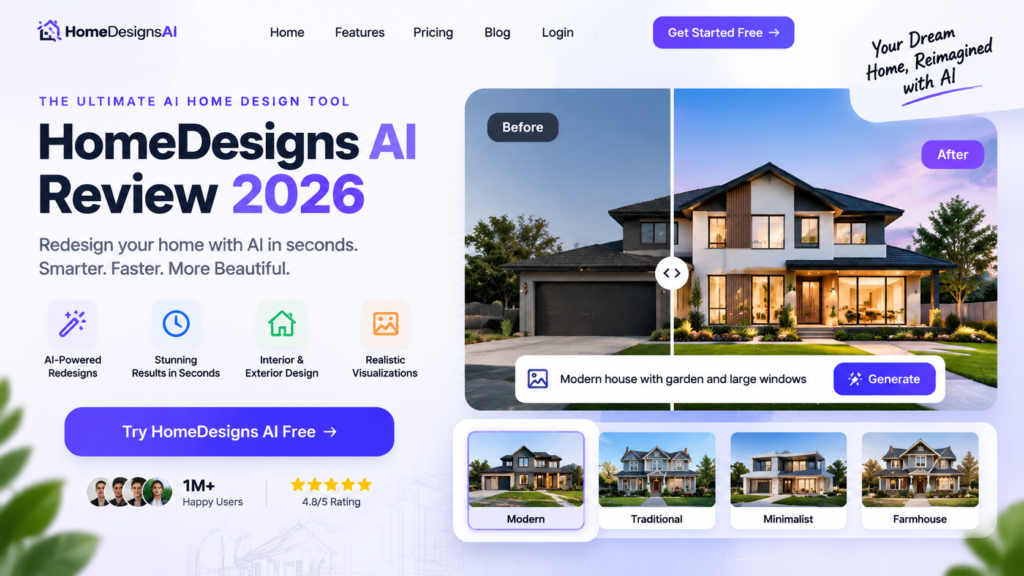
What Is HomeDesigns AI
HomeDesigns AI is a cloud based platform that uses artificial intelligence to redesign interior and exterior spaces from a single photo. Upload an image of a room or the outside of your house, choose a style, and the tool generates photorealistic redesign options built around your existing layout.
It analyzes the room’s architecture and proportions before applying new furniture, colors, and finishes, which is why the output tends to look more realistic than simple filter based apps.
Key Features
- Beautiful Redesign mode. Generates full room makeovers across more than 80 styles, including Modern and Scandinavian looks.
- Virtual staging. Fills empty rooms with photorealistic furniture, useful for real estate listings.
- Fill Spaces tool. Furnishes under construction or unfinished areas so buyers can picture the finished result.
- Design Transfer. Applies the style from an inspiration photo directly onto your own space.
- Color and texture swapping. Test different paint colors, flooring, and materials without lifting a brush.
- Furniture Finder. Links generated furniture to real, shoppable products.
- Sky Colors adjustment. Changes outdoor lighting and sky mood for exterior shots.
- Room repurposing. Shows how a bedroom could become a home office or a garage could become a studio.
Higher tier plans add video walkthroughs, 2D to 3D floorplan generation, one click furniture removal, renovation budget estimators, and team seats for professionals.
How It Works
Upload a photo of your space, then select a design style or describe what you want directly. The AI generates multiple redesign options within seconds while respecting the room’s walls, windows, and structural layout, so the results stay realistic rather than physically impossible.
Pricing
| Plan | Monthly | Annual | Monthly Designs | Styles Included |
| Individual | 17 dollars | 9 dollars per month | 100 | 40 plus |
| Pro | 19 dollars | 10 dollars per month | 1,000 | 80 plus |
| Expert | 24 dollars | 11 dollars per month | 2,000 | 100 plus |
HomeDesigns AI regularly runs annual plan discounts, so check the official pricing page for current promotions before subscribing.
Pros
- Intuitive interface that requires no design background to use
- Generates dozens of concepts quickly, saving weeks of back and forth with a designer
- Realistic visualizations help you avoid expensive furniture or paint mistakes
- Far cheaper than hiring a professional interior designer for concept work
- Useful for both homeowners planning a remodel and real estate agents staging listings
Cons
- Mobile experience is less polished than the desktop version
- Several advanced features are locked behind higher priced plans
- Occasional accuracy issues around fixed architectural elements like windows or built ins
- Cancelling a subscription currently requires contacting email support
- Complex, multi room projects come with a steeper learning curve
Who HomeDesigns AI Is Best For
This tool fits homeowners planning a renovation who want to see options before spending money, real estate agents who need virtual staging for empty listings, and small design businesses that want to speed up the concept phase for clients.
If you need construction drawings, precise measurements, or licensed architectural plans, HomeDesigns AI is not a replacement for a licensed architect or contractor. It is a planning and visualization tool, not an engineering one.
Frequently Asked Questions
Does HomeDesigns AI work for exterior redesigns, not just interiors? Yes. The platform includes exterior specific tools like Sky Colors adjustment alongside its interior focused features.
Can I use HomeDesigns AI results for a real renovation? The designs work well as visual planning references and inspiration, though you should still consult a contractor or designer for exact measurements and structural changes.
Is there a free trial or free plan? Pricing pages periodically list promotions and discounted annual plans, so check the official site for any current free trial offer.
How accurate are the room proportions in generated designs? The tool generally respects existing walls and layout well, though some reviewers note occasional issues with fixed elements like windows or built in cabinetry.
Can real estate agents use this for virtual staging? Yes, virtual staging for empty rooms is one of the platform’s core features and a common use case among agents.
Final Verdict
HomeDesigns AI delivers on its main promise, turning a plain photo into believable, varied design concepts in a fraction of the time and cost of hiring a designer for the same exploratory work. The realistic output and shoppable furniture links make it genuinely useful for both homeowners and real estate professionals.
It will not replace a licensed architect for structural work, and a few rough edges remain around mobile use and cancellation. For the price, it is a strong starting point for anyone who wants to see design options before committing real money to a renovation.