
Venice AI Review 2026: Is This Private AI Chat Worth It?
Most AI chatbots store your conversations on a company server. Venice AI takes a different approach. It keeps chat history in your browser and skips many of the content filters found on mainstream tools like ChatGPT.
This Venice AI review breaks down how the platform works, what it costs in 2026, and where it holds up against real competitors. You will learn about its core features, its privacy claims, its pricing structure, and how it compares to alternatives like ChatGPT, Character.AI, and Duck.ai. By the end, you will know exactly who Venice AI fits best.
What Is Venice AI?
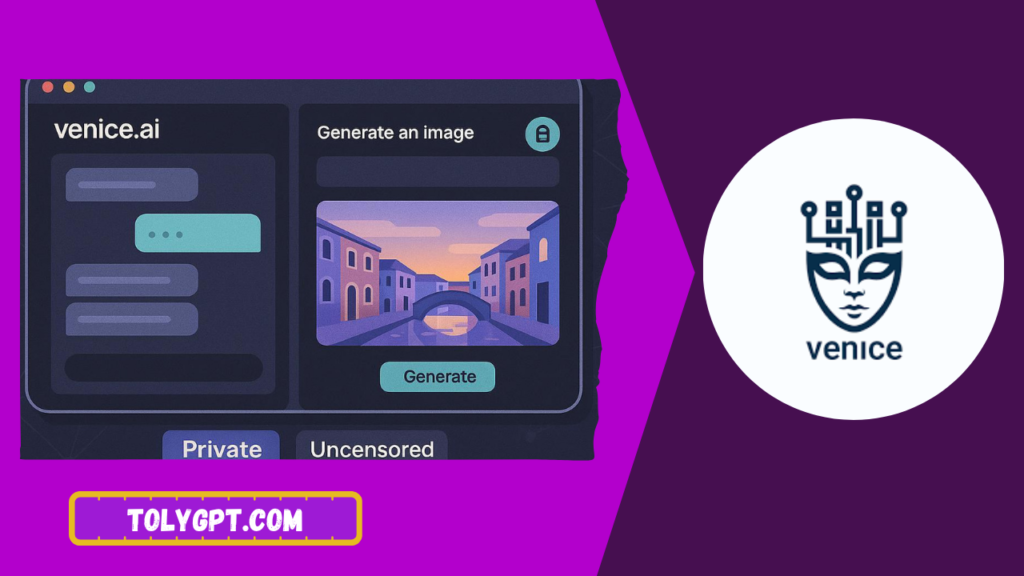
Venice AI is a generative AI platform built around two ideas, privacy and creative freedom. It launched in 2024 and runs on open source models like Llama, Qwen, GLM, and DeepSeek instead of a single proprietary system. The platform offers text chat, web search, document analysis, image generation, image editing, and basic text to video tools.
Unlike most AI assistants, Venice processes requests through a decentralized network of GPUs and does not keep permanent logs of your prompts on its own servers. That single design choice shapes almost every feature discussed in this Venice AI review.
How Does Venice AI Work?
When you send a message, Venice routes the request through an encrypted proxy to a distributed GPU pool. The response comes back, and the company states it does not retain a copy once the exchange finishes. Your conversation history lives only in your browser, which means clearing your cache or switching devices wipes it away for good.
This local first approach is the core of Venice’s privacy pitch. There is no official third party audit confirming these claims yet, so users who care deeply about verification can inspect network traffic themselves using browser developer tools.
Venice also runs on an economy built around two tokens. VVV lets developers stake for a share of ongoing API capacity, while DIEM acts as a daily refreshing unit of compute for API calls. Regular users can ignore this system entirely and simply pay with a credit card or use the free tier.
Read also: Candy AI Review
Key Features of Venice AI
Uncensored Chat With Open Source Models
Venice applies lighter content moderation than mainstream platforms. Users can switch between different open source language models depending on the task, and the app avoids the heavy safety scripting found in tools like ChatGPT. Pro users can further disable the platform’s built in “Safe Venice” filter for fewer restrictions.
Web Search and Document Analysis
Venice includes a research assistant flow that lets you frame a question as a research task and review linked citations. Pro subscribers can upload large PDF documents for summaries and question and answer sessions, with the platform stating that uploads stay local rather than moving to a permanent server.
Image Generation and Editing
Venice offers more than 70 image styles ranging from realistic to artistic. Pro users can edit images using natural language commands, including object removal, style changes, and color adjustments, along with high resolution upscaling and watermark removal.
Character Creation
Users can build custom AI characters with unique personalities and backstories, then chat with them for roleplay or creative brainstorming. This feature appeals to writers and creators who want a more personalized conversation partner.
Text to Video Tools
Venice V2 introduced text to video and image to video generation, giving creators a way to turn written prompts into short video clips. These tools remain limited to Pro and beta access as of 2026.
Developer API
Developers can access Venice programmatically for building apps or AI agents. Payment paths include direct USD credits, Pro account credit, or the DIEM and VVV token system described earlier.
Venice AI Pricing in 2026
Venice keeps its pricing structure simple on the surface, though the underlying token system adds complexity for developers. Here is the breakdown based on the current public pricing page and independent tracking.
|
Plan |
Price |
Daily Limits |
Key Features |
|---|---|---|---|
|
Free |
$0 |
Around 10 to 25 text prompts, 15 images |
Basic chat, local storage, no sign up required |
|
Pro |
$18/month or roughly $149/year |
Unlimited text prompts, up to 1,000 images |
Advanced models, character creation, watermark removal, upscaling, mature filter toggle, API access |
|
API and DIEM |
Pay as you go or staked VVV |
Depends on balance |
Developer access, staking for ongoing compute capacity |
Refunds and cancellations are a recurring complaint among Venice users, with several reviewers describing a slow or unresponsive support process. If you plan to subscribe, keep records of your payment and contact attempts in case you need to cancel later.
Venice AI Pros and Cons
Pros
- Local first privacy design keeps chat history off company servers
- Lighter content moderation than most mainstream AI chatbots
- Strong image generation with more than 70 styles and natural language editing
- Custom AI character creation for roleplay and brainstorming
- Multiple open source models to choose from in one platform
- Accepts both credit card and cryptocurrency payments
Cons
- No official mobile app parity, and the web based session does not sync across devices
- Chat history disappears if you clear your browser or switch computers
- Customer support and refund handling draw frequent complaints
- Credits and subscription fees do not roll over month to month
- Crypto token system (VVV and DIEM) can feel confusing for casual users
- No independent third party privacy audit confirms the “no logging” claims yet.
Read also: Replika AI Review
Is Venice AI Safe? Privacy and Data Handling
Venice’s central promise is that it does not store your conversations on its own servers. According to the company’s privacy documentation, prompts and responses stay in your browser, and requests pass through an encrypted proxy to a decentralized GPU network without being permanently logged.
Payments made by credit card go through Stripe rather than Venice directly, and the platform also accepts cryptocurrency for users who want to share even less personal information. That said, no independent audit has verified these architecture claims as of early 2026, so privacy focused users should treat them as vendor stated rather than confirmed.
Venice does allow more open conversations than mainstream competitors, but it still blocks clearly illegal content and requires users to be 18 or older for unrestricted access. Some reviewers have also raised concerns about the platform’s early payment flow, which asks for card details upfront and blends in crypto style tokens that can feel unfamiliar to new users.
Venice AI vs Competitors
Venice AI vs ChatGPT
ChatGPT offers a more polished, mainstream experience with official mobile apps, voice mode, and broad third party integrations. Venice trades that convenience for a local first privacy model and fewer content restrictions. If you want practical daily tasks handled smoothly, ChatGPT tends to feel easier. If privacy and open conversation matter more, Venice stands out.
Venice AI vs Character.AI
Character.AI focuses on roleplay with a large public library of fictional personas and celebrity style characters. Venice instead centers on one customizable AI companion or character you build yourself, alongside its broader chat, image, and document tools. Character.AI wins on variety, while Venice wins on privacy and creative control.
Venice AI vs Perplexity
Perplexity specializes in fast, citation rich web research with a more traditional safety approach. Venice also supports web search, but its distinguishing factor remains local storage and lighter moderation rather than research accuracy. Choose Perplexity for rigorous fact finding, and Venice for private, less filtered exploration.
Venice AI vs Duck.ai
Duck.ai, built by DuckDuckGo, requires no account and never stores chats, offering free access to several AI models with generous usage limits. Venice offers deeper customization through character creation and image tools, but its free tier is more limited and its paid plan costs more than Duck.ai’s free access.
Venice AI Alternatives
If Venice AI does not fit your needs, consider these alternatives based on what you value most.
- ChatGPT works best for everyday productivity, mobile access, and broad app integrations.
- Perplexity suits users who need fast, well cited web research over creative or private chat.
- Duck.ai fits privacy conscious users who want a completely free, no account chat experience.
- DeepAI appeals to creators who want an all in one toolkit for images, music, and video generation at a lower monthly cost.
- Local first tools like Ollama or Jan work for technical users who want full control by running models on their own hardware.
Who Should Use Venice AI?
Venice AI fits users who want a private space for research or writing on topics that mainstream chatbots tend to filter. Creators exploring edgy concepts, storyboards, or roleplay scenarios often find its character creation and image tools useful. Developers curious about token based API access may also appreciate its staking model.
Venice is not the right fit for regulated environments like schools, healthcare, or finance, where lighter content moderation creates unnecessary risk. Anyone who needs a stable mobile app, cross device syncing, or guaranteed customer support should also look elsewhere first.
Frequently Asked Questions
Is Venice AI free to use?
Yes. The free tier gives you a limited number of daily text and image prompts without requiring an account. Advanced features like video generation, character creation, and unlimited prompts require the Pro plan.
Is Venice AI actually uncensored?
Venice applies far lighter content filtering than mainstream AI tools, and Pro users can disable the “Safe Venice” toggle for even fewer restrictions. It still blocks clearly illegal content and enforces an 18 plus age requirement for unrestricted access.
Does Venice AI store my chat history?
Venice states that conversations stay only in your browser and are not saved on company servers. This means your chat history disappears if you clear your browser data or switch devices.
How much does Venice AI Pro cost?
Venice AI Pro costs around $18 per month or roughly $149 per year, depending on current promotions. Pricing can shift, so check the official Venice pricing page before subscribing.
What is the biggest downside of Venice AI?
Reviewers most often point to slow customer support, a confusing crypto token system, and the lack of a synced mobile app. Credits also do not roll over if you do not use your full monthly allowance.
Conclusion
Venice AI delivers a genuinely different approach to AI chat, built around local storage and lighter content moderation. Its image generation, character creation, and open source model selection make it a strong pick for privacy focused creators and researchers exploring topics other platforms restrict. The tradeoffs are real too, including a confusing token economy, weak customer support, and no verified third party privacy audit.
If privacy and creative freedom top your list, test the free tier before committing to Pro. If you need a polished, synced, everyday assistant, a mainstream option like ChatGPT will likely serve you better.
2 Comments