How AI Is Changing Karaoke and Music Creation: From Smart Voice Effects to Saving Your Best Performances
Karaoke used to be simple. You picked a song, the lyrics scrolled across a screen, and everyone in the room heard exactly how well — or how badly — you sang it. There was no filter, no correction and no second chance.
That version of karaoke still exists, but it is no longer the main one. Today, millions of people sing on their phones, and behind that simple record button sits a surprising amount of artificial intelligence. AI corrects pitch, cleans up background noise, adds studio-style effects, recommends the next song and even helps two strangers on different continents sing a duet together.
In plain English, karaoke has become a good example of something bigger: AI is not only creating music from scratch. It is quietly improving how ordinary people create, practise and keep their own music. This article explains what that AI actually does, where its limits are, and why saving your own performance has become an important part of the modern creator workflow.
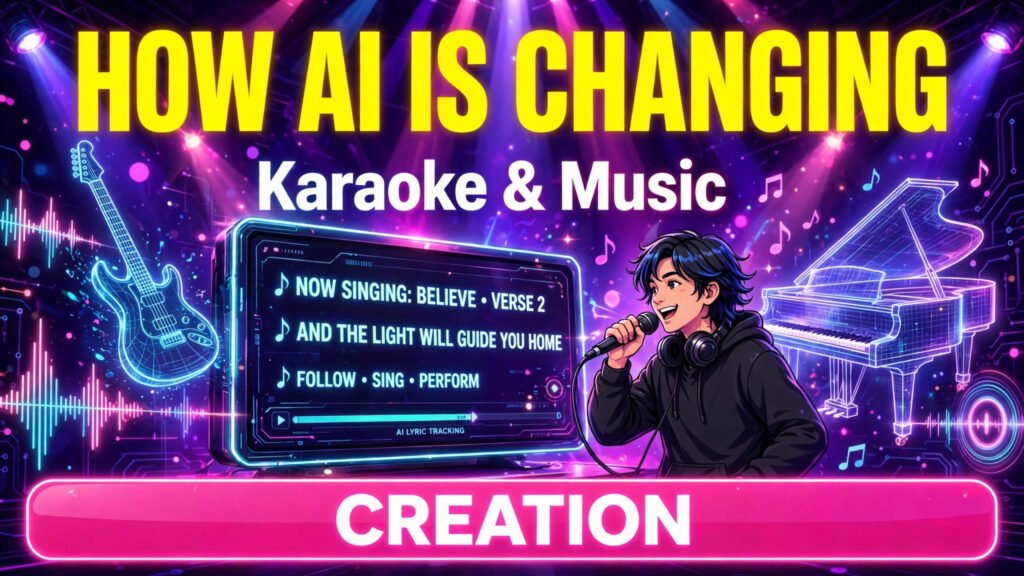
Karaoke Is No Longer Just Singing Along
Modern karaoke apps such as StarMaker are not just song libraries. They are small recording studios that fit in a pocket. A user chooses a track, records a cover, applies effects, publishes it inside the app and receives comments, likes and collaboration invites from other singers.
That change matters because the audience has changed too. Many singers no longer sing only for friends in a room. They sing for an online community, for social media, and sometimes for a growing personal audience. For them, a good recording is not a throwaway moment. It is content — something they may want to practise from, share elsewhere, or keep long after they have moved to a new phone.
AI is what makes that studio experience possible for people with no audio training. Without it, a phone recording would usually sound flat, noisy and unfinished.
What AI Actually Does Inside Modern Karaoke Apps
When people hear “AI in music”, they often think of a computer writing a whole song. In karaoke apps, the AI is less dramatic and much more practical. It works in small steps, mostly in the background.
Pitch correction without sounding robotic
Pitch correction listens to your voice and gently moves notes that are slightly off key closer to the correct note in the backing track. Used lightly, it does not turn you into a different singer. It simply removes the small mistakes that would otherwise make a good performance sound amateur. Used heavily, it creates the robotic effect heard in some pop and electronic music — which is why most apps let users control the strength of the effect.
Voice effects and studio-style filters
Reverb, echo, compression and equalisation used to require studio equipment and an engineer who understood them. AI-powered presets now package those settings into one tap: “studio”, “concert hall”, “warm” or “pop”. The app analyses the recording and applies a combination that suits the voice and the song. The result is not real studio quality, but it is far closer than a raw phone recording.
Smart song recommendations and duet matching
Recommendation systems learn from what you sing, what you finish, what you skip and what similar singers enjoy. That is why karaoke apps are good at suggesting a song in your vocal range that you have never tried before. The same technology helps with duets and collaborations, matching singers by language, genre, location and singing style, so a cover can become a shared performance instead of a solo recording.
Backing tracks, lyric timing and vocal separation
Behind the scenes, AI also helps separate a song into vocals and instruments, time lyrics accurately to the music, and reduce background noise while you record. If you have ever sung in a noisy room and still heard your voice clearly in the playback, that cleanup is part of the reason. Each of these tasks is small on its own. Together, they explain why mobile karaoke now feels polished instead of basic.
AI Is Also Changing How Singers Practise
The most useful change is not always the performance itself. It is practice. Some apps now score timing and pitch, highlight the lines where a singer drifted, and make it easy to re-record a single section instead of starting again. That turns singing into a feedback loop: sing, review, improve, and sing again.
This is similar to what AI is doing in other creative fields. Writers get instant feedback on a draft, photographers get automatic cleanup on a photo, and video creators get captions and cuts without manual editing. In every case, the human is still doing the creative work. The AI shortens the distance between a rough attempt and a finished result.
There is a limit, and it is worth stating plainly. AI can correct pitch, but it cannot add emotion, timing or personality that was never there. The singers who benefit most are not the ones who rely on effects. They are the ones who use the feedback to actually get better.
The Problem AI Has Not Solved: Your Best Performance Stays Trapped in the App
For all of this progress, one old problem remains. A great performance usually lives only inside the app where it was recorded. If you want to keep a copy on your phone, listen offline, send it privately to family, or reuse the audio in another project, the app itself may not give you a simple download option.
That gap is why browser-based helper tools have become part of the workflow for many singers. Instead of installing another app, a user copies the link to a supported recording, pastes it into a tool, previews the result and chooses the available audio or video option.
A practical example of this approach is a Starmaker Downloader, which works in the browser without a separate app to install. The process is deliberately simple: copy the recording link from StarMaker, paste it into the tool, check the preview, and then save the available MP3 or MP4 version. For a beginner who has never used audio software, that simplicity matters more than advanced features.
This is not really a story about downloading. It is a story about ownership of your own work. As AI makes it easier for everyone to create a polished recording, more people will expect to be able to keep, move and reuse what they created — just as they already do with their photos and videos.
Saving a Performance Is Different From Downloading a Song
These two ideas are often confused, so it helps to separate them. Saving your own performance means keeping a recording you made: your voice, your cover, your duet. Downloading a song, on the other hand, is about having a track available offline — to listen to while travelling, to practise against without using mobile data, or to review before recording a new version.
That second use case is where a Starmaker Song Download becomes useful in everyday life. A singer in an area with slow or expensive internet, for example, can save a track once and then practise offline as many times as needed, instead of streaming the same song again and again. Used that way, the download is not the end goal. Practice is.
Understanding the difference also leads to better decisions. If you want to improve, save and review your own recordings. If you want to learn a song, keep the track available offline. And if you want to grow an audience, share the finished performance where your listeners already are, rather than leaving it in only one place.
Before You Save or Download Anything: Copyright and Good Practice
A helpful tool does not remove personal responsibility. Music is protected work, and karaoke recordings sit in a grey area that singers should treat with respect. A few simple rules keep you on the safe side:
- Only save your own recordings, or recordings you have clear permission to save.
- Do not sell, commercially re-upload or claim someone else’s recording or backing track as your own original work.
- Check the terms of the platform you recorded on, especially if you plan to post the file on another platform.
- Remember that quality depends on the source recording. A downloader cannot improve a poor or incomplete original.
- Be careful with voice-cloning tools. Never clone another person’s voice without their clear consent.
These points are not legal advice, but they are good practice. The creators who build a lasting audience are usually the ones who treat other people’s work the way they want their own work to be treated.
What Comes Next: AI Karaoke in 2026 and Beyond
The next stage is already visible. Real-time harmony can add backing vocals while you sing. AI coaches can give more detailed feedback on breathing, range and expression, not just pitch. Language tools can help singers practise pronunciation in another language before they record a foreign-language song. And personalised practice plans — similar to those in fitness apps — can guide a singer from beginner songs to harder material over time.
Some of this will be genuinely useful, and some of it will be hype. The test is the same one TolyGPT readers can apply to any AI tool: does it solve a real problem for a real user, in less time or with a better result than the old way? For karaoke, pitch help, noise cleanup, honest feedback and easy saving of your own work pass that test. Fully replacing the singer does not, because it removes the very thing listeners came for.
Technology will keep making the recording easier. It cannot make the performance mean something. That part still belongs to the person holding the phone and pressing record.
Final Takeaway
AI has changed karaoke from a party activity into a simple, guided way to create music. It corrects small mistakes, adds studio-style polish, recommends the right songs, connects singers for duets and gives feedback that helps people improve. Its best role is not to replace the singer, but to remove the technical barriers that used to stand between a good voice and a good recording.
So enjoy what the AI does well, practise with the feedback it gives you, and keep a copy of the performances you are proud of. Long after an app updates, a phone is replaced or a trend passes, that recording of your own voice — on a song you loved, sung your way — is the part worth keeping.