Magic Light AI Review: Complete Guide for 2026
Turning a rough idea into a finished video used to mean hours inside a timeline, dragging clips and fighting with transitions. AI video tools promised to change that, and Magic Light AI is one of the names students, creators, and small businesses keep asking about before they commit.
This guide breaks down what MagicLight AI actually does, how it works, what it costs, and where it holds up against the manual editing process it is trying to replace. You will also see practical steps for getting a usable result on your first attempt.
By the end you will know exactly what to expect from MagicLight AI, and whether it fits your workflow better than sticking with a traditional editor.
What Is MagicLight AI and How It Works
MagicLight AI is an AI powered video creation tool built to turn text prompts, images, or rough footage into finished video content with minimal manual editing. Instead of manually cutting clips and building a timeline from scratch, users describe what they want, and the AI assembles a draft video around that input.
The tool fits into a growing category of AI video generation platforms that combine text to video generation, automated editing, and style templates to speed up content production. This approach appeals most to creators who need to publish frequently, such as social media managers, marketers, and small business owners who cannot justify hours of manual editing for every short video.
Under the hood, MagicLight AI likely combines generative video or image models with automated editing logic, applying pacing, transitions, and style choices based on the input prompt or uploaded media, then giving the user a draft to refine rather than build from zero.
Read also Question AI Review
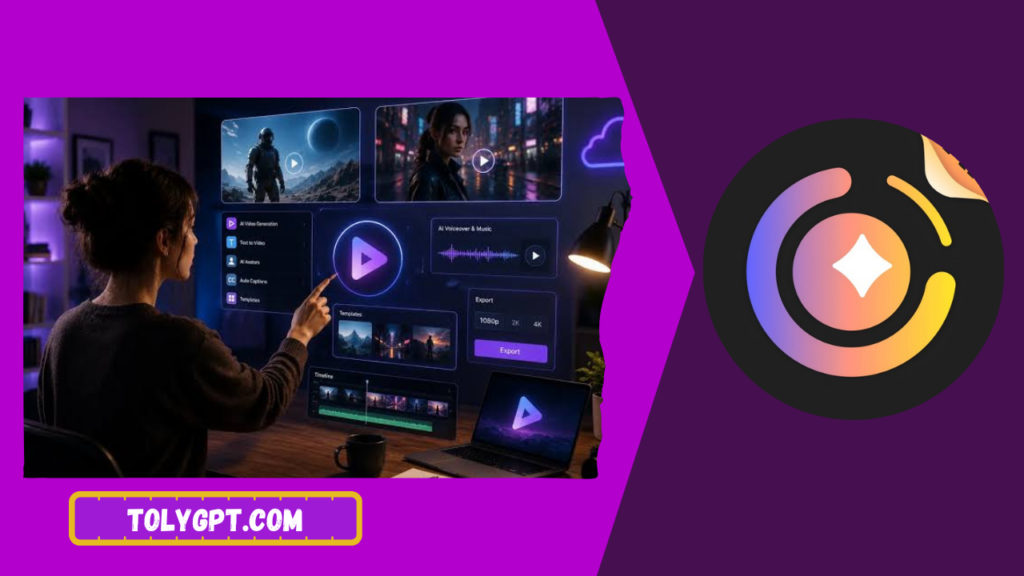
How MagicLight AI Works Step by Step
- Enter a text prompt describing the video you want, or upload source footage and images.
- Choose a style, template, or tone that matches your intended output.
- Let the AI generate a first draft video based on your input.
- Review the draft and identify sections that need adjustment.
- Edit specific clips, text overlays, or transitions using the built in editor.
- Export the finished video in the format needed for your platform.
This workflow removes the blank timeline problem that slows down manual editing, which is the main reason AI video tools like this have grown in popularity among frequent content creators.
Why MagicLight AI Matters in 2026
Video remains the most demanded content format across social platforms, yet manual editing skill is still a real barrier for many creators and small businesses. MagicLight AI matters because it lowers that barrier, letting people without editing experience produce a usable video quickly.
For marketers and small business owners, consistent video output is often more valuable than a single highly polished piece, since platforms tend to reward posting frequency. A tool that shortens production time directly supports that kind of consistent publishing schedule.
For anyone comparing AI video tools generally, understanding how MagicLight AI structures its features and pricing offers a useful reference point when weighing it against other generative video platforms in the same space.
Key Features of MagicLight AI
Text to Video Generation
Users can describe a concept in a prompt and receive a generated video draft, removing the need to source or shoot footage for every idea.
Style Templates
Preset styles and templates help maintain a consistent look across multiple videos, which matters for creators building a recognizable brand presence.
Built In Editing Tools
Beyond generation, MagicLight AI typically includes editing controls for trimming clips, adjusting pacing, and adding text overlays without needing a separate editing program.
Multi Format Export
Support for different aspect ratios and formats allows the same core content to be adapted for platforms with different video specifications.
Voice and Caption Support
Many tools in this category include automated voiceover or caption generation, which speeds up publishing for creators who do not want to record narration manually.
|
Feature |
Free Tier |
Paid Tier |
|---|---|---|
|
Monthly video generations |
Limited |
Higher or unlimited |
|
Style template access |
Basic |
Full library |
|
Export resolution |
Standard |
Higher resolution options |
|
Voice or caption generation |
Limited |
Included |
|
Priority processing speed |
Standard |
Faster |
Pricing tiers and exact feature limits change frequently across AI video tools. Always confirm current plans on the official MagicLight AI site before subscribing.
How to Choose the Right AI Video Tool
Deciding whether MagicLight AI fits your needs comes down to a few practical questions rather than marketing claims alone.
Think about your primary use case. Social media clips, marketing videos, and educational content each have different pacing and style needs, so checking whether a tool’s templates match your content type matters before committing.
Compare output quality against your platform’s requirements. A tool that produces strong results for short social clips may need more manual refinement for longer form content.
Check export flexibility. If you publish across multiple platforms with different aspect ratios, multi format export support saves significant time compared to manually resizing every video.
Weigh pricing against your publishing frequency. Occasional users may find a free tier sufficient, while regular creators publishing weekly or more often typically get better value from a paid plan.
Common Mistakes to Avoid
Expecting a fully finished video on the first generation. AI generated drafts usually need some manual refinement, particularly around pacing and text placement, so budgeting time for review avoids disappointment.
Writing vague prompts. A vague description produces a generic result. Specific prompts describing tone, audience, and key message produce noticeably stronger drafts.
Ignoring platform specific export settings. Publishing the wrong aspect ratio or resolution to a platform often hurts performance, so checking export settings before publishing matters.
Skipping the free tier before subscribing. Testing core generation quality on your actual content type before paying prevents wasted subscription cost.
Overusing default templates. Relying entirely on preset styles across every video can make content feel repetitive, so mixing in custom adjustments helps maintain a distinct brand feel.
Expert Tips and Best Practices
Write prompts the way you would brief a video editor. Include the audience, the core message, and the tone you want, since vague prompts consistently produce vague results.
Review the first draft fully before making edits. Understanding what the AI got right and wrong helps you refine future prompts more efficiently.
Keep a consistent style template across a content series. This builds visual brand recognition even when videos are generated quickly.
Test export settings early. Confirming resolution and aspect ratio requirements for your main platform before a big content push avoids last minute formatting issues.
Compare at least one alternative AI video tool before committing to an annual plan, since output quality and template variety differ meaningfully across platforms in this category.
Real Life Use Cases and Scenarios
A small business owner posting weekly product highlights can use MagicLight AI to turn a simple product description into a short promotional clip without hiring an editor.
A social media manager handling multiple client accounts can use style templates to maintain distinct visual identities across accounts while still working quickly.
An educator building short explainer videos for a course can generate a first draft from lecture notes, then refine pacing and captions for clarity.
A content creator testing new video formats can use the free tier to quickly prototype several concepts before investing production time in the one that performs best.
Pros and Cons
Pros
Significantly faster video production compared to manual editing from scratch.
Style templates support consistent branding across multiple videos.
Built in editing tools reduce the need for separate editing software.
Multi format export saves time when publishing across platforms.
Free tier available for testing before committing to a paid plan.
Cons
First drafts typically need manual refinement before publishing.
Output quality depends heavily on how specific the input prompt is.
Free tier generation limits can feel restrictive for frequent creators.
Advanced features are usually locked behind paid plans.
Style templates can feel repetitive without custom adjustments.
Frequently Asked Questions
Is MagicLight AI free to use?
MagicLight AI typically offers a free tier with limited monthly generations. Paid tiers unlock higher resolution exports, more generations, and additional style templates.
Is MagicLight AI good for beginners?
Yes. The text to video workflow is designed to remove the need for manual editing skill, though reviewing and refining the AI generated draft still improves the final result.
What is the difference between MagicLight AI and traditional video editors?
Traditional editors like Filmora require manual timeline editing and clip assembly, while MagicLight AI generates a draft automatically from a prompt or uploaded media, which speeds up initial production at the cost of some manual control.
Does MagicLight AI support multiple export formats?
Most AI video tools in this category support multiple aspect ratios and resolutions for different platforms, though exact export options should be confirmed on the official site since they can change.
Are there better alternatives to MagicLight AI?
Several AI video generation tools exist with different strengths in template variety, output quality, and pricing. Testing free tiers across a couple of platforms on your actual content type is the most reliable way to compare them.
Conclusion
MagicLight AI fits a clear need in the growing AI video creation space, turning prompts and source footage into a usable draft far faster than manual editing from scratch. It is not a fully hands off replacement for editing skill, since drafts typically need refinement, but for creators and small businesses focused on consistent publishing, it offers a meaningful speed advantage.
Start with the free tier, write a specific and detailed prompt, and compare the output against your platform’s requirements before deciding if MagicLight AI fits your content workflow long term.