
Question AI Review: Complete Guide for 2026
A confusing homework question at midnight has a way of making even a good student feel stuck. That single moment, more than any ad campaign, is why AI homework helper apps like Question AI have grown so fast.
This guide breaks down what Question AI actually does, how accurate it is, what it costs, and where it genuinely helps versus where it falls short. You will also see how it compares to similar study tools so you can decide if it fits your workflow.
By the end, you will know exactly what to expect from Question AI review before you rely on it for real coursework.
What Is Question AI and How It Works
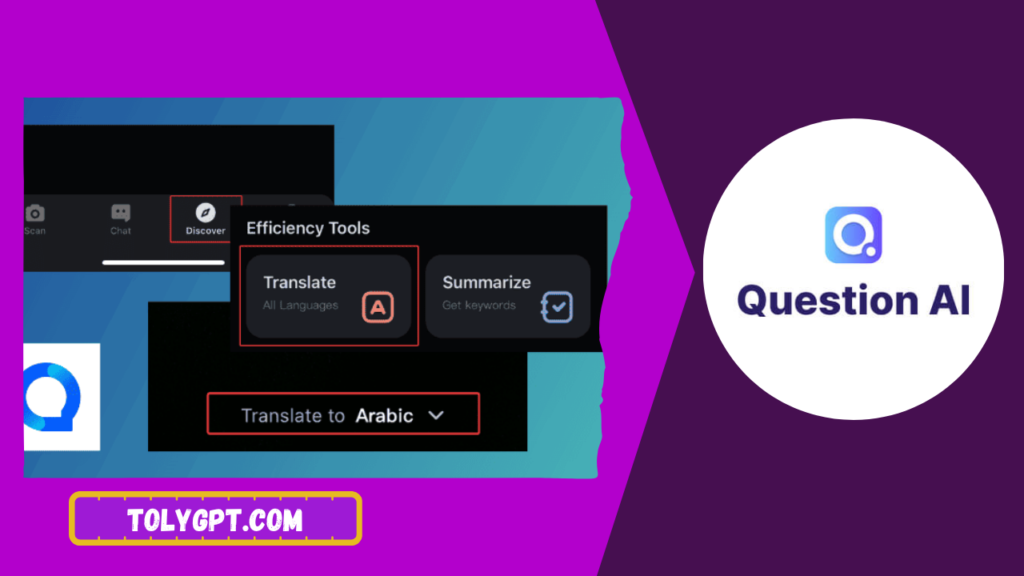
Question AI is an AI powered homework helper app built around scan and solve functionality. Users upload a photo of a question, paste text, or type a prompt directly, and the app returns a solution along with a step by step explanation.
The platform covers a range of subjects beyond basic math, including science, history, and general coursework questions. Instead of returning only a final answer, Question AI is built to walk through the reasoning behind the solution, which is meant to help students understand the method, not just copy an answer.
Under the hood, the app combines image recognition with large language model reasoning. The image recognition step reads the question from a photo, and the language model generates the explanation and solution based on that extracted text.
Read also Venice AI Review
How Question AI Works Step by Step
- Open the app and select photo upload, text paste, or typed question entry.
- Submit your homework question in whichever format is easiest.
- Review the AI generated explanation and step by step breakdown.
- Ask follow up questions if part of the explanation is unclear.
- Apply the method to similar problems on your own to confirm understanding.
- Upgrade to a paid plan if you need more scans than the free tier allows.
This workflow is built for speed, which is the main reason it has become popular among students juggling multiple subjects and tight deadlines.
Why Question AI Matters in 2026
AI study tools have moved from a novelty to a regular part of how students handle homework. Question AI matters because it addresses a specific pain point, the moment a student is stuck and has no immediate access to a teacher or tutor.
For students without regular access to private tutoring, an AI explanation tool can partially close a real resource gap, offering on-demand support that used to be available only to students who could afford extra help outside class.
At the same time, schools have grown more attentive to how AI tools are used on graded work. Question AI matters as a case study for a broader tension in education technology, the balance between genuine learning support and shortcutting understanding, which makes an honest review especially useful before students build a habit around any single tool.
Key Features of Question AI
Photo Scan and Solve
Users can photograph a question directly from a textbook, worksheet, or screen, and the app extracts the text automatically before generating a solution.
Step by Step Explanations
Rather than returning only a final answer, Question AI breaks down the reasoning behind each step, which is the feature most reviewers point to as its main value over simpler answer only tools.
Multi Subject Coverage
The app handles math, science, and general coursework questions, which sets it apart from tools built specifically around one subject like algebra or calculus.
Follow Up Question Support
Users can ask clarifying questions about a generated explanation, which helps when a single breakdown does not fully resolve confusion on a specific step.
Free and Paid Tiers
A free tier allows limited scans per day, while a paid subscription unlocks expanded use for students who rely on the app regularly across multiple subjects.
|
Feature |
Free Tier |
Paid Tier |
|---|---|---|
|
Daily scan limit |
Limited |
Higher or unlimited |
|
Subject coverage |
Core subjects |
Full subject range |
|
Step by step explanations |
Included |
Included |
|
Follow up question support |
Limited |
Full access |
|
Priority processing speed |
Standard |
Faster |
Pricing and scan limits change periodically across AI study tools. Always confirm current plans directly in the app before subscribing.
Read also Replika AI Review
How to Choose the Right AI Homework Helper
Not every scan and solve tool fits every student’s coursework, so a few questions help narrow the decision before committing to Question AI or any alternative.
Consider which subjects you need help with most. Question AI’s broader subject coverage is a strength if your workload spans multiple areas, but a math specific tool might offer deeper accuracy if that is your main need.
Check your school’s academic integrity policy on AI tool use before relying on any homework helper for graded assignments, since rules vary significantly between institutions and even between courses.
Test the free tier on your actual coursework before paying. Accuracy varies by subject, and the only reliable way to judge fit is trying it on real questions you are currently working through.
Think about how you plan to use the explanations. Tools like Question AI work best when used to check understanding after attempting a problem, not as a first step before trying it yourself.
Common Mistakes to Avoid
Scanning every question before attempting it. This produces fast answers but skips the practice needed to actually learn the material, which shows up later on exams without AI support.
Trusting explanations without verification on nuanced subjects. Accuracy is strongest on structured math and science problems, and weaker on open ended or interpretive questions, so cross checking against course material matters.
Ignoring free tier limits before a big assignment. Running out of scans mid homework session is a common frustration that a quick plan check can prevent.
Skipping the follow up question feature. Many users stop at the first explanation even when it is unclear, instead of asking a clarifying follow up that would resolve the confusion.
Using it on graded work without checking school policy. Academic integrity rules around AI tool use differ by school and course, so confirming this before relying on Question AI for tests or major assignments avoids real consequences.
Expert Tips and Best Practices
Attempt every problem independently first, then use Question AI to check your reasoning or fill a specific gap. This single habit is what separates genuine learning support from a shortcut that skips it.
Use the follow up question feature actively. If a step in the explanation feels unclear, asking a direct clarifying question usually resolves it faster than rereading the same explanation.
Compare the free tier against your actual weekly workload before subscribing. Students with light occasional use may never need the paid tier, while daily users across multiple subjects usually find it worthwhile.
Keep a short list of the concepts Question AI has explained to you, and revisit them without the app a few days later to confirm the understanding actually stuck.
Pair Question AI with your school’s own resources, such as office hours or tutoring, rather than treating it as a full replacement for direct instruction.
Tools and Resources You Need
A clear sense of which subjects you need the most support in, since accuracy and depth vary by subject across most AI homework helper apps.
Awareness of your school or course’s academic integrity policy regarding AI tool use, particularly for graded assignments and exams.
A habit of attempting problems independently first, which turns Question AI into a genuine learning aid rather than an answer shortcut.
A comparison of at least one alternative AI study tool, useful if Question AI’s subject coverage or accuracy does not fully match your coursework.
Pros and Cons
Pros
Fast, step by step explanations across multiple subjects. Broader subject coverage than tools focused purely on math. Follow up question support helps resolve unclear explanations. Free tier available for testing before committing to a paid plan. Useful for checking understanding after independent attempts.
Cons
Accuracy varies more on nuanced or open ended questions. Free tier scan limits can feel restrictive for regular daily use. Risk of shortcutting real learning if used before attempting problems independently. Academic integrity policies around AI tool use vary by school and course. Explanation quality still benefits from cross checking against course material.
Read also Candy AI Review
Frequently Asked Questions
Is Question AI accurate?
Accuracy tends to be strongest on structured math and science problems, and weaker on nuanced or open ended questions. Cross checking explanations against course material is a reasonable habit for any AI study tool.
Is Question AI free to use?
Question AI offers a free tier with a limited number of daily scans. A paid subscription unlocks expanded use, though exact limits and pricing should be checked directly in the app since they change periodically.
Is it okay to use Question AI for homework?
This depends on your school or course’s specific academic integrity policy on AI tool use. Using it to check understanding after attempting a problem independently is generally a safer approach than relying on it for final answers on graded work.
How does Question AI compare to other homework helper apps?
Question AI covers a broader range of subjects than tools built specifically around one area like math, though accuracy and explanation depth vary by subject. Testing free tiers across a couple of tools is the most reliable way to see which fits your specific coursework.
Can Question AI help with test prep?
It can help review concepts and practice explanations ahead of a test, but it should not be relied on during an actual exam unless explicitly permitted, since most testing environments restrict AI tool use.
Conclusion
Question AI offers real value for students who use it to build understanding rather than shortcut it, particularly across subjects where step by step explanations help clarify a confusing concept. Its accuracy holds up best on structured problems, and its biggest risk mirrors every tool in this category, using it to skip learning instead of support it.
Test the free tier on your actual coursework, attempt problems independently before scanning them, and check your school’s academic integrity policy before relying on it for graded work. Used that way, Question AI earns its place as a genuine study companion rather than just another shortcut app.

One Comment