Grok AI Review: Complete Guide for 2026
You ask a chatbot about a breaking story, and it answers with news from months ago. That gap is where Grok tries to stand out, because it can pull live posts from X while it answers.
This Grok AI review covers what Grok does well, what it costs, and where it still trails rivals like ChatGPT and Claude. You will also see which plan makes sense for which kind of user.
By the end, you will know if Grok deserves a place in your toolkit or if a cheaper option fits better.
What Is Grok and How Does It Work
Grok is the AI assistant built by xAI, the company behind the X platform. You can use it inside X, on the Grok website, and in mobile apps.
It answers questions, writes text, helps with code, creates images, and holds voice chats. Its biggest selling point is live search across X posts and the wider web.
Recent reviews describe Grok 4.5 as the current flagship model, rolled out in July 2026. Extra modes such as Big Brain and Heavy use more thinking time for harder problems.
Read also Venice AI Review
How to Start Using Grok Step by Step
- Open Grok on the website, the mobile app, or inside X.
- Sign in with your X account or create a new account.
- Start on the free plan to test the basics.
- Ask a live question, such as what people are saying about a trending topic.
- Try image and voice features to see if you need them.
- Upgrade only if you hit the free limits often.
This order keeps your costs low. Most people learn within a week if the paid plan is worth it.
Why Grok Matters in 2026
Most chatbots learn from data that stops at a certain date. They can search the web, but many still feel slow on breaking topics.
Grok leans on X, where news, memes, and public reactions appear first. For journalists, marketers, traders, and social media managers, that speed is useful.
It also has a looser, more casual tone than many rivals. Some users love that. Others find it less fitting for formal work.
Key Features of Grok
Real Time Search With DeepSearch
Grok can scan live posts and web pages to answer current questions. One 2026 review calls it the best real time X search among AI assistants.
Grok Imagine for Images and Video
Grok Imagine creates images and short video clips. The same review says paid plans include generous image creation and that video clips can include sound.
Voice Mode
You can talk to Grok and pick from different personalities. It works well for casual chats, though it is not rated as the best voice assistant on the market.
Thinking Modes
Big Brain and Heavy modes spend more time on complex questions such as long research tasks and multi step reasoning.
Large Context Window
Paid plans support long documents. One pricing guide lists a 128K token context for SuperGrok, which is enough for long reports.
| Feature | What You Get |
|---|---|
| Live search | X posts and web results |
| Image and video | Grok Imagine |
| Voice | Multiple personalities |
| Reasoning | Big Brain and Heavy modes |
| Access | Web, mobile apps, X |
Read also Best AI Image Generators in 2026
Grok Pricing: What Does It Cost
Grok pricing has changed several times, and names differ between sources. These figures come from a September 2026 pricing guide, so confirm them on the official page before you pay.
| Plan | Reported Price | Notes |
|---|---|---|
| Free | $0 | Limited requests every two hours |
| SuperGrok Lite | About $10 per month | Entry level paid access |
| X Premium | About $8 per month | Basic Grok inside X |
| SuperGrok | About $30 per month or $300 per year | Main paid plan |
| X Premium+ | About $40 per month | Regional prices vary |
| SuperGrok Heavy | About $300 per month | Top compute priority |
The same guide mentions a three day free trial for SuperGrok. Trial offers change, so read the checkout page closely.
For most users, the free plan or the low cost tier is enough to test the tool. Heavy is aimed at power users and teams with big workloads.
How Does Grok Compare With ChatGPT and Claude
Grok wins on live data and image creation. ChatGPT and Claude often win on writing polish and everyday coding help.
One 2026 review says Grok trails Claude on writing quality and lags behind top rivals on daily coding. It also notes that SuperGrok costs more than ChatGPT Plus.
| Area | Grok | ChatGPT and Claude |
|---|---|---|
| Live news and X data | Strong | Weaker |
| Writing polish | Good | Often better |
| Coding help | Decent | Often better |
| Image and video | Strong on paid plans | Varies by plan |
| Tone | Casual and direct | More formal |
Pros and Cons
Pros
- Best in class live search across X
- Image and short video creation in one app
- Free plan to try before you pay
- Casual, candid tone that many users enjoy
- Long context window on paid plans
- Works on web, mobile, and inside X
Cons
- Top plan costs more than many rivals
- Writing and coding trail the best competitors
- Live social posts can spread rumors as facts
- Plan names and prices change often
- Tone may not suit formal work
Who Should Use Grok
Grok fits people who follow news and trends, such as social media managers, journalists, and creators. It also suits users who want images and chat in one place.
It is a weaker fit if you mostly write long documents or need top tier coding help. In that case, compare it with Claude or ChatGPT before you pay.
Common Mistakes to Avoid
- Trusting live posts blindly. Social media has errors and rumors, so verify big claims.
- Paying for Heavy too early. Most people never need the top plan.
- Ignoring the free plan. Test it for a week first.
- Using it for formal writing without edits. Its casual tone may need polishing.
- Not checking prices. Plans and names change often.
Expert Tips to Get More From Grok
- Ask for sources when you use live search, then open them yourself.
- Use DeepSearch for trends and breaking news, not for settled facts.
- Give clear context and a goal, just like you would with any chatbot.
- Save prompts that work well for your daily tasks.
- Compare answers with a second assistant on important topics.
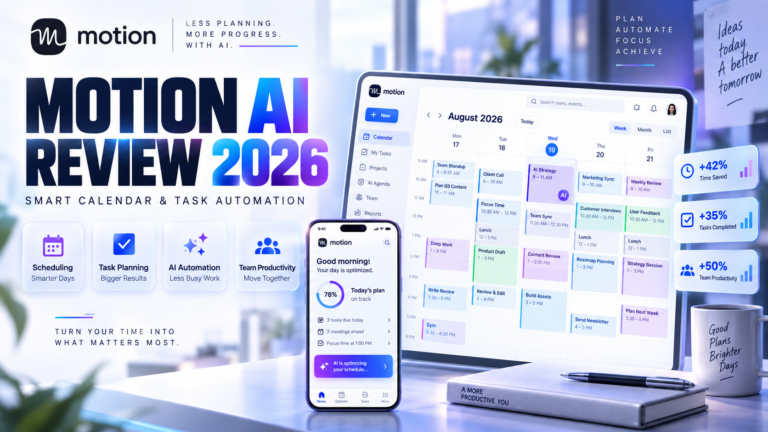
Read also Motion AI Review
Frequently Asked Questions
Is Grok free to use?
Yes, Grok has a free plan with limited requests. Paid plans add stronger models, higher limits, and extra tools. Check the current limits inside the app, because they change.
How much does SuperGrok cost?
Recent pricing guides list SuperGrok at about $30 per month or $300 per year. Prices and plan names change, so confirm them on the official page before you subscribe.
Is Grok better than ChatGPT?
It depends on the task. Grok is stronger for live news and X data. ChatGPT and Claude are often better for polished writing and everyday coding help.
Can Grok access real time information?
Yes. Grok can search live X posts and web pages. Treat social posts with care, because rumors can look like facts in fast moving stories.
Is Grok good for coding?
It can help with code, but one 2026 review says it trails the best competitors for daily coding. If coding is your main use, test the free plan against other tools first.
Conclusion
This Grok AI review comes down to one idea. Grok is the best choice when you need fast, live information from X, and it adds image and voice tools on top. It is less convincing for polished writing and heavy coding work.
Start with the free plan, test it on live topics you care about, and upgrade only if you need the extra limits. If your work is mostly writing or code, compare it with other assistants before you pay.